July 7, 2026

 Written by Jason Letts
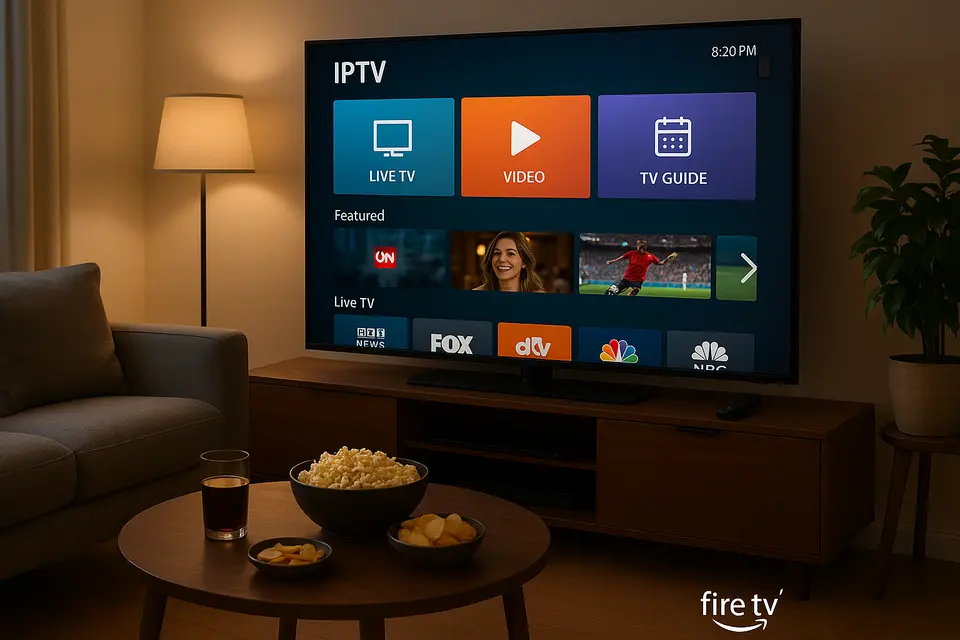
IPTV (Internet Protocol Television) delivers television content over your internet connection instead of through traditional cable or satellite services. Think of it as streaming TV channels and programs directly to your device using your home network.
The core components of IPTV include:
Your Amazon Firestick acts as the bridge between IPTV services and your television. The process is straightforward:
The Firestick connects to your TV’s HDMI port and uses installed apps to receive IPTV streams. When you open an IPTV application, it connects to your provider’s servers using one of several methods: login credentials for official services, M3U playlist URLs that contain channel information, or Xtream Codes API details that organize channels and programming data. Source
Once connected, the app decodes the video streams and displays them on your TV screen, giving you access to live channels and on-demand content.
This distinction is crucial for anyone considering IPTV options:
Legal, licensed services include official live TV apps available in the Amazon Appstore such as Sling TV, YouTube TV, Hulu Live, and region-specific services. These providers hold proper content licenses, offer clear terms of service and customer support, and are easily discoverable through official channels.
Free or unofficial M3U-based streams are often shared through forums, social media, or third-party websites. While tempting due to their low cost, these streams carry significant risks including potential copyright infringement, frequent buffering and broken links, and security concerns from malicious playlists or data collection.
The smart approach? Prioritize licensed IPTV services and reputable providers. If you consider third-party playlists, verify they’re clearly legal and compliant in your jurisdiction.
Selecting the best IPTV for Firestick requires evaluating several key factors that separate reliable services from problematic ones.
Reliability and Stability top the list of priorities. Look for services with consistent uptime, minimal buffering, server redundancy, and adequate bandwidth to handle peak viewing times.
Channel Lineup and VOD Content should match your viewing preferences. Quality providers offer coverage of local channels, comprehensive sports packages, movie libraries, and international content. Many also include catch-up TV and extensive on-demand libraries. Source
EPG Quality significantly impacts your viewing experience. The best services provide accurate program schedules and intuitive navigation within their apps.
Device Compatibility ensures smooth operation. Seek providers with native or optimized support for Amazon Firestick and Fire TV, plus compatibility with other devices for multi-room viewing.
Customer Support becomes essential when issues arise. Reliable providers offer 24/7 support or at least responsive assistance via chat or email.
Transparent Pricing includes clear cost structures, short trial periods, or money-back guarantees that let you test the service risk-free.
Legal Compliance protects you from potential issues. Legitimate services provide clear licensing information and terms of service. Avoid services advertising “all premium channels worldwide for very low prices” without any licensing documentation.
The IPTV landscape includes several types of providers worth considering:
Official streaming services represent the safest choice. These include established platforms available through the Amazon Appstore with full legal backing and professional support.
Licensed regional providers often offer excellent value for specific geographic areas, providing local channels and content with proper licensing agreements.
Community discussions frequently mention services like VELOPLAYLIST and TIVOROTV for their stable streams, strong sports coverage, 4K support, and simple setup using Xtream Codes. However, users must independently verify the legal status of any non-official service.
The primary recommendation remains choosing an official, licensed TV provider where available. For those exploring generic “IPTV services,” thorough vetting using the criteria above and the safety guidance later in this article is essential. Source
Proper preparation makes your IPTV Firestick setup smooth and successful.
Compatible Hardware: You’ll need a recent-generation Fire TV Stick, Fire TV Stick 4K, Fire TV Stick 4K Max, or Fire TV Cube for optimal performance.
Internet Requirements: Ensure at least 10-20 Mbps for HD streaming, with 25+ Mbps recommended for stable 4K content.
Account Setup: Have your Amazon account ready for the Firestick, plus login credentials for your chosen IPTV provider or service.
Security Considerations: Keep Fire OS updated, use official app sources when possible, and consider a reputable VPN for additional privacy on public or unsecured networks. Source
Here’s the high-level process before we dive into detailed steps:
Your choice of Firestick IPTV app significantly impacts your viewing experience.
Official and Authorized Apps include live TV services like Sling TV and YouTube TV, plus regional IPTV services from cable operators. These offer full legal protection, tight Fire OS integration, and reliable support.
Third-Party IPTV Players function as standalone applications that play IPTV streams from external providers. Popular options include:
| App Name | Type | Ease of Use | Format Support | Navigation |
|---|---|---|---|---|
| IPTV Smarters Pro | Player | High | M3U, Xtream, EPG | Simple, familiar layout |
| TiviMate | Player | High | M3U, EPG, multiple playlists | Modern UI, excellent grid view |
| XCIPTV Player | Player | Medium | Xtream focused | Good remote integration |
| Flix IPTV | Player | Medium | M3U, EPG | Clean, straightforward |
TiviMate consistently receives praise for its beautiful user interface and smooth remote navigation, while IPTV Smarters Pro enjoys wide provider support and easy configuration. Source
This detailed walkthrough covers the complete IPTV Firestick setup process.
For IPTV players outside the Amazon Appstore:
Security Note: This setting allows installation of apps outside Amazon’s ecosystem. Only install from reputable sources and avoid random APK files from forums or untrusted websites.
Using Downloader for third-party apps:
Most IPTV apps follow similar configuration steps:
For details on managing channel lists and what to expect from M3U playlists and channel structures, see our complete channel list guide. Source
Create a reliable workflow:
Effective playlist management keeps your IPTV experience running smoothly.
Use M3U URLs instead of static files when available. URL-based playlists update automatically, ensuring you always have the latest channel information. Source
Test Channel Stability by opening several channels across different categories. Remove or hide consistently problematic streams to improve your experience.
Regular Updates are essential. Ask your provider about automatic playlist updates and periodically refresh content within your IPTV app using built-in “Refresh” or “Update channels” features.
Compatibility Considerations include using UTF-8 compatible playlists to avoid character display issues and limiting yourself to one or two main playlists on lower-powered devices to prevent performance problems.
Quick solutions for frequent problems:
For an in-depth guide to fixing buffering, see our comprehensive buffering fixes article. Source
Protecting yourself while using IPTV services requires attention to several important areas.
Choose official IPTV services that clearly state their licensing agreements and terms of service. Avoid services offering extensive premium content at unrealistically low prices without legal documentation.
Streaming unlicensed channels can infringe copyright laws and may have legal consequences depending on your location. Research the legal landscape in your country and prioritize properly licensed content.
Share payment information only through secure, reputable providers with established privacy policies. Avoid entering sensitive data into unverified apps or suspicious websites.
Keep Fire OS and all applications updated with the latest security patches. Disable “Apps from Unknown Sources” when you’re not actively installing new software.
If you use a VPN, frame it as a privacy and security tool for protecting your data on insecure networks. Always use VPN services in compliance with local laws and service terms. For guidance on choosing and using VPNs with IPTV, see our VPN guide. Source
Maximize your IPTV streaming quality with these practical improvements:
For advanced network and DNS configuration tips to reduce buffering and improve connectivity, check our DNS and network optimization guide. Source
Stick with licensed, official services available through the Amazon Appstore. These providers offer legal content, customer support, and security protections.
Official services like Sling TV, YouTube TV, or ESPN+ provide comprehensive sports coverage with full legal protection. For specific sports, research which licensed providers carry your preferred leagues and channels.
A VPN isn’t required for legal IPTV services. However, using one can provide additional privacy protection, especially on public Wi-Fi networks. Always comply with local laws and service terms when using VPN services. Source
IPTV Smarters Pro offers the most straightforward setup process and enjoys wide provider support. TiviMate provides an excellent user interface once configured, though it may require slightly more initial setup. Source Source
Yes, many IPTV players support multiple playlists. TiviMate and IPTV Smarters Pro both allow you to add several M3U sources and switch between them easily.
Buffering typically results from insufficient internet speed, Wi-Fi interference, or overloaded servers. Try reducing video quality, moving closer to your router, or switching to a 5 GHz network. If problems persist, contact your IPTV provider. For step-by-step buffering fixes see: Source
The legality depends on the content source and your local copyright laws. Free playlists often contain unlicensed content that may infringe copyright. Consult local regulations and prioritize official, licensed providers for legal protection. Source
Setting up IPTV on your Firestick opens up tremendous entertainment possibilities while requiring careful attention to legal and security considerations. By following this guide, you’ve learned how to choose reliable providers, configure applications properly, and troubleshoot common issues.
Remember that the streaming landscape continues evolving, with new apps, services, and features regularly appearing. Bookmark this guide and check back periodically for updates as IPTV technology and Firestick capabilities advance.
The key to success lies in prioritizing legitimate, licensed services that protect both your legal standing and viewing experience. While the allure of free content may be tempting, investing in proper IPTV services provides better reliability, security, and peace of mind.
Start with the basics, choose reputable providers, and build your IPTV experience on a foundation of legal, secure streaming practices. Your future self will thank you for making the smart choices today.
© 2025 iPvos All Rights Reserved | Terms | Privacy Policy | Refund Policy | Copyright Disclaimer | Affiliate Program| Blog