July 24, 2026

 Written by Jason Letts
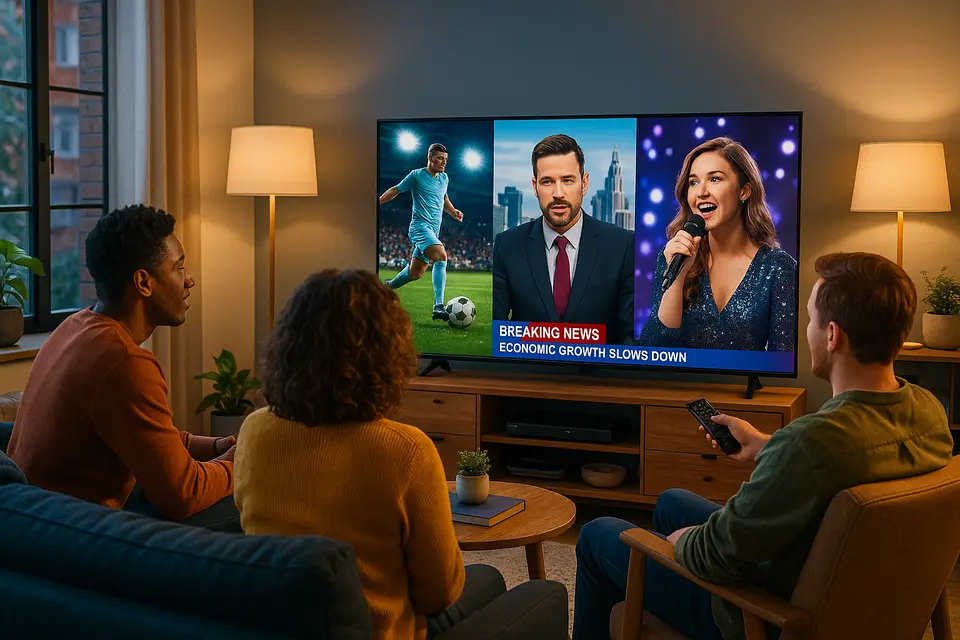
Tired of paying outrageous cable bills for channels you never watch? Sling TV might be exactly what you’re looking for. This streaming service has been quietly revolutionizing how Americans watch live television since 2015, offering something most competitors don’t: real flexibility at prices that won’t break your budget.
What makes Sling TV different? While other streaming services force you into expensive all-or-nothing packages, Sling lets you build your own entertainment experience. You can choose between different base packages, add premium channels when you want them, and even try the service for free with their Freestream tier that includes over 600 channels and cloud DVR storage.
Sling TV operates as a virtual multichannel video programming distributor, which means it delivers the same cable and satellite channels you know, but through your internet connection instead of traditional infrastructure. The service is owned by Sling TV LLC, a wholly owned subsidiary of EchoStar (formerly part of DISH Network), giving it solid financial backing and industry expertise.
The platform combines two distinct offerings under one app. First, there are the paid live TV bundles that compete directly with cable and satellite providers. Second, Sling Freestream provides completely free access to hundreds of channels with advertising support. This dual approach lets you sample the service before committing to paid tiers.
Launched in January 2015 at the Consumer Electronics Show, Sling TV was one of the first major “skinny bundle” services targeting cord-cutters who wanted live TV without traditional cable contracts. The service is available throughout the United States and Puerto Rico, accessible through apps on virtually every streaming device, smart TV, mobile phone, and web browser you can imagine.
The fundamental difference between Sling TV and traditional cable lies in flexibility. There are no annual contracts, no installation appointments, and no equipment fees. You can start service today, pause it next month, and restart whenever you want. This month-to-month approach appeals especially to younger viewers who prefer services that adapt to their changing needs rather than locking them into rigid agreements.
Understanding Sling’s pricing structure requires knowing that the service built around choice rather than simplicity. Instead of one massive channel package, Sling offers different base packages designed for different viewing preferences.
Sling Orange focuses heavily on sports and Disney-owned content, featuring over 30 channels including ESPN, which makes it attractive for sports fans. However, Orange limits you to one simultaneous stream, so only one person in your household can watch at a time. Current pricing starts around the mid-$40s per month for standard rates, though promotional offers can bring this down to $19.99 for new subscribers.
Sling Blue takes a different approach, offering 40+ channels that lean more toward news and general entertainment, including Fox and NBC cable networks. Blue provides three simultaneous streams, making it better for families or roommates who want to watch different programs at the same time. Source
Sling Select represents the budget-conscious option, offering approximately 10+ channels with three streams at a lower price point. This package works well for viewers who want basic live TV access without paying for channels they don’t need.
The beauty of this system becomes apparent when you realize you can combine packages or add specific channel groupings based on your interests. Want both ESPN and Fox News? Combine Orange and Blue. Need premium movie channels? Add Starz or Paramount+ with Showtime. International content? Sling offers packages like Desi Binge Plus for South Asian programming, including cricket coverage and regional entertainment in multiple languages.
Here’s where Sling TV gets really interesting. While most people focus on the paid packages, Sling Freestream offers something unique in the streaming world: a completely free tier that includes features typically reserved for paid services.
Sling Freestream provides access to over 600 live TV channels without requiring a credit card or any payment information. These aren’t obscure channels you’ve never heard of. The lineup includes news, entertainment, lifestyle, and specialty programming that many people watch regularly.
What sets Freestream apart from other free streaming services is the inclusion of cloud DVR functionality. Most free services limit you to watching whatever happens to be on at the moment. Sling gives you approximately 10 hours of cloud DVR storage even on the free tier, letting you record programs and watch them later. This feature alone makes Freestream competitive with paid services from other providers. Source
The free tier also includes access to thousands of hours of on-demand movies and shows. While these come with advertising, the selection is substantial enough that many users find they can satisfy their entertainment needs without upgrading to paid packages.
Access to Freestream happens directly through the main Sling TV app, so you get the same interface and user experience as paid subscribers. This integration means you can easily upgrade to paid packages if you decide you want additional channels, or seamlessly switch between free and paid content within the same app.
Sling TV’s approach to content differs significantly from traditional cable packages and even other streaming services. Rather than trying to include every possible channel, Sling focuses on the cable networks most people actually watch while making a deliberate choice to exclude local broadcast stations in most markets.
Sports represent a major strength for Sling, particularly through the Orange package. ESPN access gives you college football, Monday Night Football, NBA games, and extensive college basketball coverage including March Madness. Additional sports networks like FS1, TNT, and TBS provide coverage of NFL games, NBA playoffs, NHL hockey, and MLB baseball.
For sports fans who want comprehensive coverage, Sling offers Sports Extras add-on packages that include specialized networks covering everything from golf and tennis to regional sports programming. The modular approach means you can add sports coverage during seasons when you’re actively watching and remove it during off-seasons.
News coverage spans the political spectrum with options including Fox News, CNN, and MSNBC (marketed as MSNOW in some Sling materials). BBC World News provides international perspective, while various financial and specialty news networks offer targeted coverage for specific interests.
The choice between Orange and Blue packages affects your news options, so viewers who prioritize news coverage should examine channel lineups carefully when selecting their base package.
General entertainment channels include popular networks like AMC, TBS, TNT, and various lifestyle and reality programming networks. Food Network, HGTV, and similar channels appear in different package combinations, often bundled into thematic add-ons like Lifestyle or Family packages.
Children’s programming availability depends on your package selection and add-ons, with Disney channels primarily available through Orange packages due to corporate relationships between ESPN and Disney properties.
One of Sling TV’s most distinctive strategic decisions involves local broadcast channels. Unlike competitors who include local ABC, CBS, NBC, and Fox stations nationwide, Sling generally excludes these channels from their packages. This choice keeps base prices significantly lower than services that negotiate carriage agreements with hundreds of local stations across different markets.
Sling’s solution involves recommending over-the-air antennas for local channel reception. Modern digital antennas can receive high-definition broadcasts of major networks for free, often with better picture quality than cable or streaming delivery. By pairing an antenna with Sling’s cable network programming, viewers get comprehensive coverage at a fraction of traditional cable costs.
This approach works particularly well for viewers in metropolitan areas with strong over-the-air signals. Rural viewers or those in areas with poor antenna reception might find the lack of local channels more problematic, though some limited exceptions exist where Sling carries local stations in specific markets.
The antenna integration strategy reflects Sling’s focus on cost-conscious consumers who are willing to make small trade-offs for substantial savings. A quality antenna costs $30-50 as a one-time purchase and provides free access to local programming that other streaming services include in monthly fees. Source
Sling TV has expanded beyond basic streaming to include features that enhance the viewing experience and compete with more expensive services.
Cloud DVR represents one of Sling’s most valuable features, available across both free and paid tiers. Free Freestream users get approximately 10 hours of recording storage, while paid subscribers receive significantly more capacity. Recent app listings suggest 50+ hours for many paid plans, though exact amounts can vary based on current promotions and package selections.
The cloud-based system means your recordings are accessible from any device where you can sign into your Sling account. Record a program on your phone during lunch, then watch it on your smart TV at home that evening. The system handles the technical details automatically.
DVR functionality works across most live channels, subject to network-imposed restrictions on certain premium content. You can pause live TV, rewind programs, and schedule recordings just like traditional cable DVR systems. Source Source
Sling’s multiview feature allows watching up to four live channels simultaneously on one screen, similar to functionality offered by YouTube TV and other premium services. This proves particularly valuable during sports seasons when you want to monitor multiple games or follow breaking news while watching entertainment programming.
Current limitations include device restrictions and predefined channel combinations. Multiview works on Fire TV and Android TV/Google TV streaming devices, but isn’t available on all platforms. Additionally, you can’t freely choose any four channels; Sling provides predefined combinations that change based on current programming and events.
Despite these limitations, multiview adds significant value for sports fans and news watchers who want to monitor multiple streams without constantly switching channels. Source
Sling TV maintains broad device compatibility across the streaming ecosystem. The service works on Amazon Fire TV devices, Roku streaming players, Google TV and Android TV systems, Apple TV, and most smart TV platforms from major manufacturers.
Mobile apps for iOS and Android provide full functionality, letting you watch live TV, access recorded programs, and manage your account from anywhere with internet access. Web browser support means you can watch on computers without installing additional software. Source
Game console support varies over time, depending on current platform relationships and technical requirements. The company regularly updates device compatibility as new streaming hardware enters the market.
Beyond monthly subscriptions, Sling offers short-term passes that provide unprecedented flexibility in live TV streaming. These options recognize that many viewers want access to live TV for specific events or time periods rather than ongoing monthly commitments.
Day passes provide 24-hour access to your chosen package, perfect for catching a specific sporting event or staying current with breaking news during major events. Three-day passes work well for weekend programming or short trips where you want entertainment access without monthly charges.
Week passes offer seven-day access, useful for events like March Madness or playoff seasons where you want comprehensive sports coverage for a limited period. These passes cost less than monthly subscriptions while providing full access to live channels, on-demand content, and DVR functionality.
The pass system reflects Sling’s understanding that modern viewers have irregular consumption patterns. Rather than forcing everyone into monthly subscriptions, these options let you pay for exactly the access you need when you need it.
Switching between pass options and monthly service happens seamlessly through your account management interface. You can use day passes during busy periods, then switch to monthly service when your viewing patterns become more regular.
Sling’s modular approach extends to premium channels and specialized content. Rather than bundling premium networks into expensive base packages, Sling lets you add specific services when you want them and remove them when you don’t.
Current premium options include Paramount+ with Showtime, Starz, MGM+, and AMC+. Each service can be added or removed monthly without affecting your base package. This flexibility proves valuable when specific shows or movies you want to watch are only available on certain premium networks.
International programming represents a particular Sling strength, with packages designed for various ethnic and linguistic communities. South Asian programming through Desi Binge Plus includes cricket coverage, Bollywood movies, and regional television in multiple languages. Similar packages serve other international communities with content from their home countries.
Sports fans benefit from international add-ons that provide soccer coverage, international cricket including IPL matches, and other sports programming not available through standard American sports networks. These packages often cost significantly less than standalone international services while integrating seamlessly with your domestic programming.
The add-on system means you can customize your service for family members with different cultural backgrounds or interests without paying for extensive packages that include content you don’t want.
Understanding Sling TV’s position requires comparing it against both traditional cable services and other streaming platforms. The service occupies a unique middle ground between free streaming apps and premium live TV services.
Compared to YouTube TV, Hulu + Live TV, and Fubo, Sling offers significantly lower base prices. While competitors charge $70-80 monthly for their standard packages, Sling’s base packages start in the mid-$40s with promotional pricing available for new subscribers. This price difference can save you $300-400 annually.
Trade-offs for these savings include the lack of local channels in most markets, more complex package structures, and different streaming limitations between Orange and Blue packages. Competitors typically include local stations nationwide and provide unlimited simultaneous streams, while Sling requires antenna integration for locals and limits concurrent viewing based on package selection.
However, Sling’s flexibility advantages become apparent over time. The ability to pause service during months when you’re not watching much TV, add premium channels only when you want specific content, and use day passes for special events can result in significant annual savings for viewers with irregular consumption patterns.
The free Freestream tier provides something competitors don’t offer: a way to try the service extensively before committing to paid packages. Most other services provide limited free trials, while Sling lets you use their platform indefinitely at no cost. Source
Beginning your Sling TV experience requires minimal setup compared to traditional cable installation. Download the app on your preferred device, create an account, and start with the free Freestream service to familiarize yourself with the interface and channel selection.
The app interface integrates free and paid content seamlessly, so you can explore available programming before deciding on paid packages. Use the free DVR functionality to test recording and playback features with Freestream content.
When ready to upgrade, compare Orange and Blue packages based on your specific interests. Sports fans who prioritize ESPN should consider Orange, while households needing multiple simultaneous streams might prefer Blue. Remember that you can change packages monthly if your initial choice doesn’t meet your needs.
Consider starting with base packages before adding premium channels or specialty add-ons. This approach lets you understand your actual viewing patterns and avoid paying for channels you don’t use. You can always add premium services when specific content becomes available that interests you.
Account management happens entirely through the app or website, with no need for phone calls or service appointments. Changes to your package, billing information, and viewing preferences update immediately.
The combination of affordability, flexibility, and comprehensive free options makes Sling TV worth serious consideration for anyone looking to reduce entertainment costs without sacrificing access to live television programming.
Sling TV is a live TV streaming service offering customizable packages without the need for a cable subscription.
Sling TV recommends using an over-the-air antenna for local channels, as most are not included in the base packages.
Sling TV offers more flexibility with customizable packages, lower prices, and a free streaming tier with DVR features.
Sling TV is geoblocked and only available in the U.S. and Puerto Rico, but you might use a VPN for international access.
Yes, Sling TV includes cloud DVR functionality with varying storage capacity across free and paid tiers.
© 2026 iPvos All Rights Reserved | Terms | Privacy Policy | Refund Policy | Copyright Disclaimer | Affiliate Program| Blog