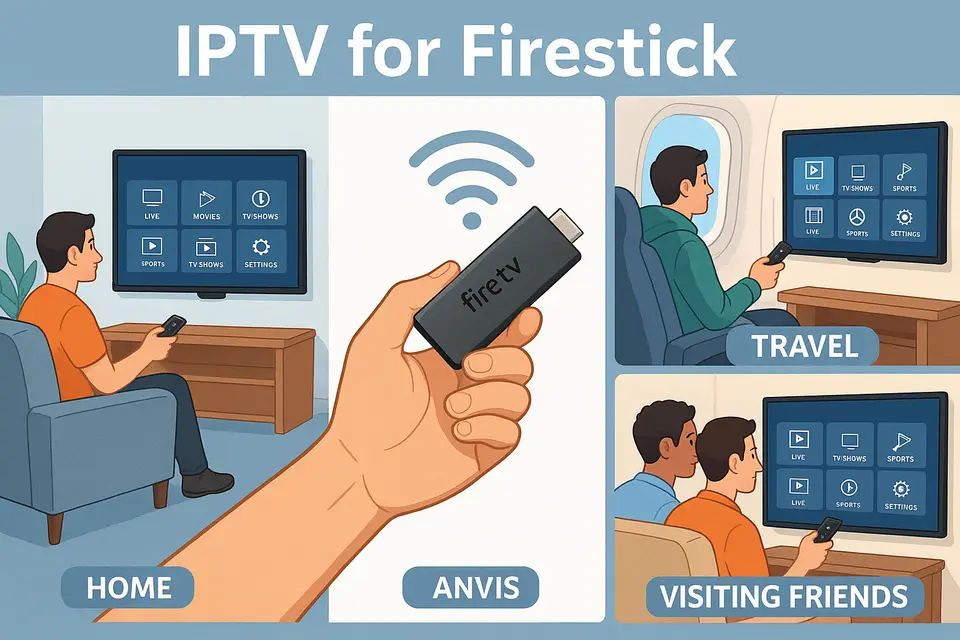
IPTV for Firestick: The Ultimate Guide to Setting Up and Using IPTV on Your Fire TV Stick

Key Takeaways

  • IPTV Benefits: IPTV delivers flexibility and convenience by streaming content over the internet.
  • Choosing Providers: Selecting a reliable IPTV provider based on uptime and legality is crucial.
  • Setup Steps: Properly configuring your Firestick for IPTV involves essential prerequisites and app installations.
  • Common Issues: Familiarize yourself with troubleshooting techniques for typical IPTV problems.
  • Legal Considerations: Always opt for legitimate IPTV services to mitigate risks associated with unlicensed content.

What is IPTV on Firestick?

IPTV (Internet Protocol Television) streams television content directly from the internet, making it a modern alternative to cable and satellite. With a simple setup, your Firestick can access a plethora of channels and on-demand content.

To make IPTV for Firestick work, you’ll need:

  • A stable broadband internet connection
  • An active Amazon account
  • A television with an available HDMI port

The installation process involves setting up an IPTV app that connects with your provider’s server. Firestick users enjoy versatility since the device can be used on any TV.

Best IPTV for Firestick

When selecting an IPTV provider, consider these key criteria:

Evaluation Criteria

  • Reliability: Ensure the service offers minimal buffering and optimal uptime.
  • Content: Look for a diverse channel lineup including local, international, and premium options.
  • Ease of Use: Choose a provider with a simple interface for easy navigation.
  • Pricing and Legality: Opt for transparent pricing and ensure the provider is licensed for the content offered. Source

Paid vs Free IPTV

Paid services tend to be more reliable, with fewer technical issues and better support. Conversely, free IPTV options may lead to inconsistent experiences and security risks. Always proceed with caution when exploring free services.

IPTV Firestick Setup

To set up IPTV on your Firestick, follow these essential steps:

Prerequisites

  • Connect your Fire TV Stick to the TV and internet.
  • Log into your Amazon account.
  • Gather your IPTV provider’s credentials (M3U URLs or Xtream Codes).
  • Consider a VPN for added security. Source

Installation Steps

  1. Enable unknown sources in settings to allow sideloading of apps.
  2. Install the Downloader app from the Amazon App Store.
  3. Use Downloader to install your desired IPTV player.
  4. Input your IPTV service details in the app.

Testing Your Setup

Start streaming by navigating to the Live TV section and selecting a channel to verify everything is working properly.

Firestick IPTV App Comparison

When selecting a Firestick IPTV app, consider:

Essential Features

  • Electronic Program Guide (EPG): Look for comprehensive support to navigate programming easily.
  • User Interface: Ensure it’s intuitive and easy to use with your remote.
  • Playback Features: Consider options for recording and catch-up TV.

Source

Troubleshooting Common IPTV Issues

Here are common issues you may encounter:

Buffering

This can stem from network issues, ISP throttling, or overloaded servers. Reduce streaming quality or switch to a wired connection for stability. Source

Login Errors

Check for credential accuracy and account status; expired accounts may face login difficulties.

Channel Loading Issues

If channels are empty, verify your M3U URL for correctness or check with your provider. Source

The legality of IPTV depends on whether your provider holds licenses for the content they distribute. Opt for recognized providers to avoid legal issues while enjoying IPTV services.

Maintenance and Frequently Asked Questions

Ongoing Maintenance Tasks

Keep applications updated and remove expired playlists. Regularly check for updates or provider notices to ensure seamless functionality.

Common Questions

Can multiple IPTV apps coexist on one Firestick?

Yes, but limit installed apps to those you actively use for optimal performance.

Do all IPTV apps require sideloading?

Not all; some apps are available directly on the Amazon App Store.

Why does IPTV buffer despite fast internet speeds?

Buffering can occur from server congestion, ISP throttling, or weak Wi-Fi connections.

Are VPNs required for Firestick IPTV?

VPNs are optional but can enhance privacy and help bypass throttling.

Do older Firestick models support IPTV?

Most older models support IPTV apps if they meet the app requirements.

Leave a Reply

Your email address will not be published. Required fields are marked *

âš½ 2026 SPECIAL

WORLD CUP DEAL

watch every match without limits on IPVOS.COM

3 Months
+1 Month FREE
6 Months
+2 Months FREE
12 Months
+3 Months FREE
offer ends in --
CLAIM YOUR BONUS
code: WORLDCUP
★★★★★ rated 4.8 on Trustpilot
Offer valid for new subscribers and single-device plans only.

flexible & affordable plans

Every plan includes a 7-day money back guarantee

24-Hour Free trial available on Telegram only.